> ## Documentation Index
> Fetch the complete documentation index at: https://botpress-update-integrations.mintlify.site/llms.txt
> Use this file to discover all available pages before exploring further.
# Pass variables between Workflows
You can pass variables between Workflows. This is useful if you want to use a previously created variable within the scope of a single Workflow. For example:
* You want to collect user information in one Workflow, then validate it in a sub-Workflow.
* You have a Workflow that stores items in a virtual shopping cart, and you want to process payment for those items in a sub-Workflow.
* You have some condition in one Workflow, and you want a sub-Workflow to behave differently based on that condition.
## From a parent Workflow to a sub-Workflow
1. In your sub-Workflow (the one you want to pass the variable to), [create a new Workflow variable](/studio/concepts/variables/overview/#create-a-variable).
You can pass any kind of variable from your parent Workflow, but your sub-Workflow needs to treat it as a Workflow variable.
2. Select your sub-Workflow's [Entry Node](/studio/concepts/nodes/introduction#entry-node).
3. Under **Toggle Variables**, select the variable you just created:
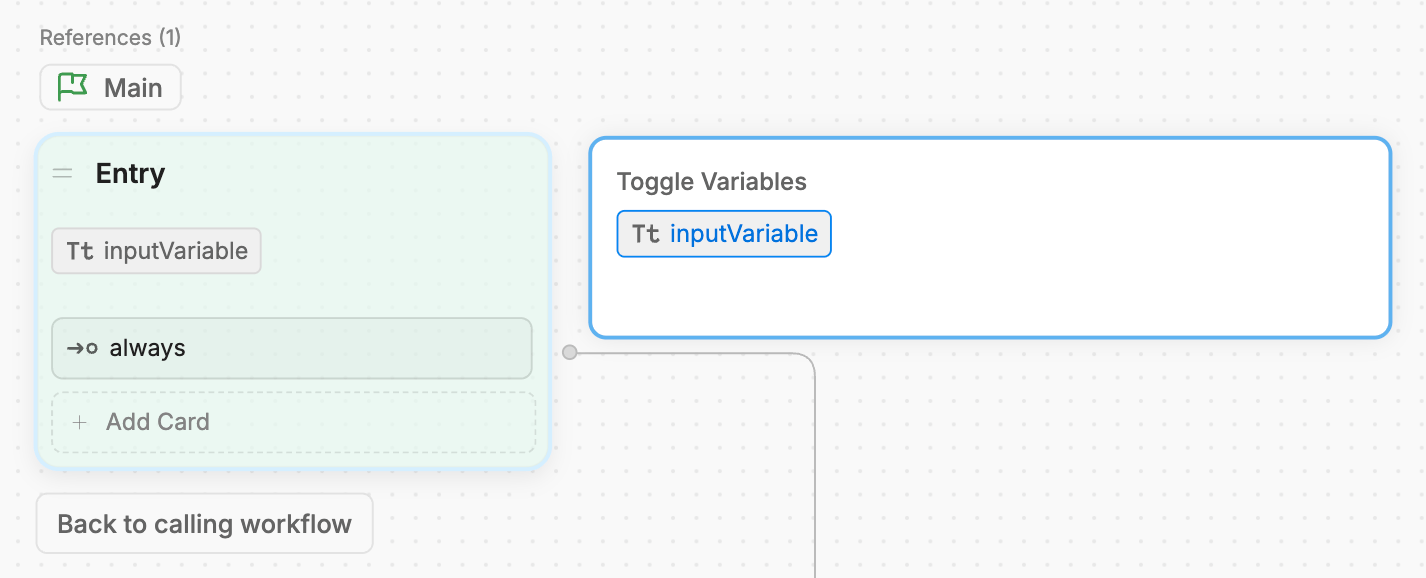
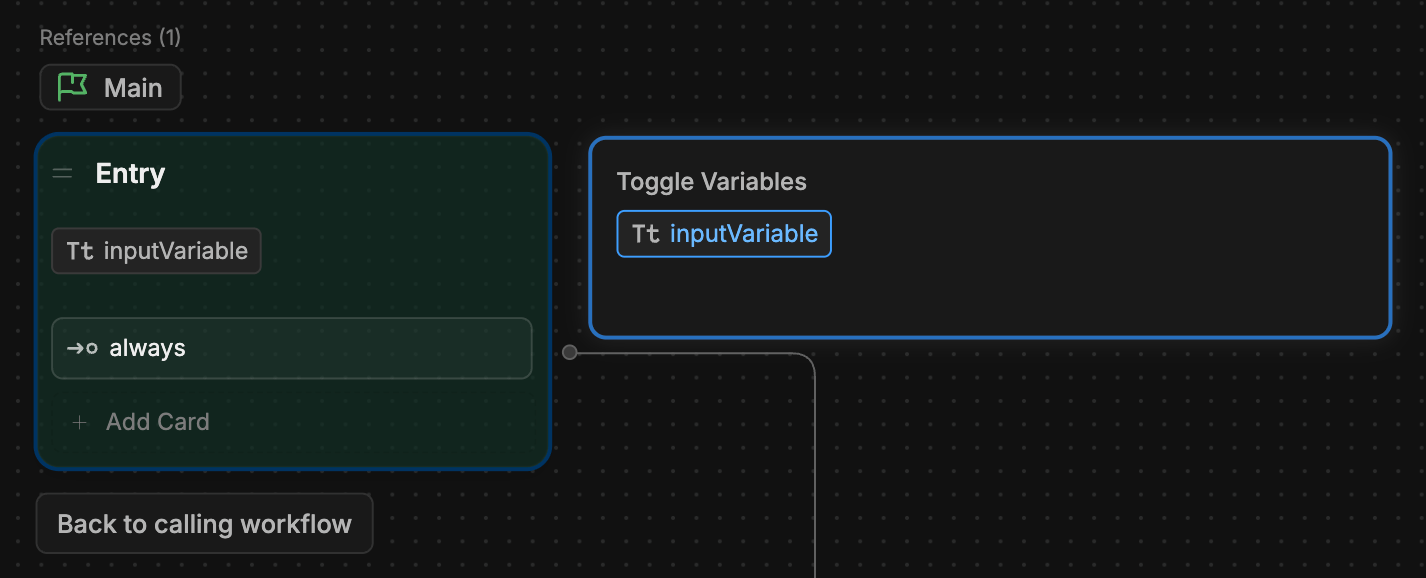 This tells the parent Workflow that your sub-Workflow is expecting some input.
In your parent Workflow, select the Card that transitions to the sub-Workflow. It should display the input variable you just created:
This tells the parent Workflow that your sub-Workflow is expecting some input.
In your parent Workflow, select the Card that transitions to the sub-Workflow. It should display the input variable you just created:
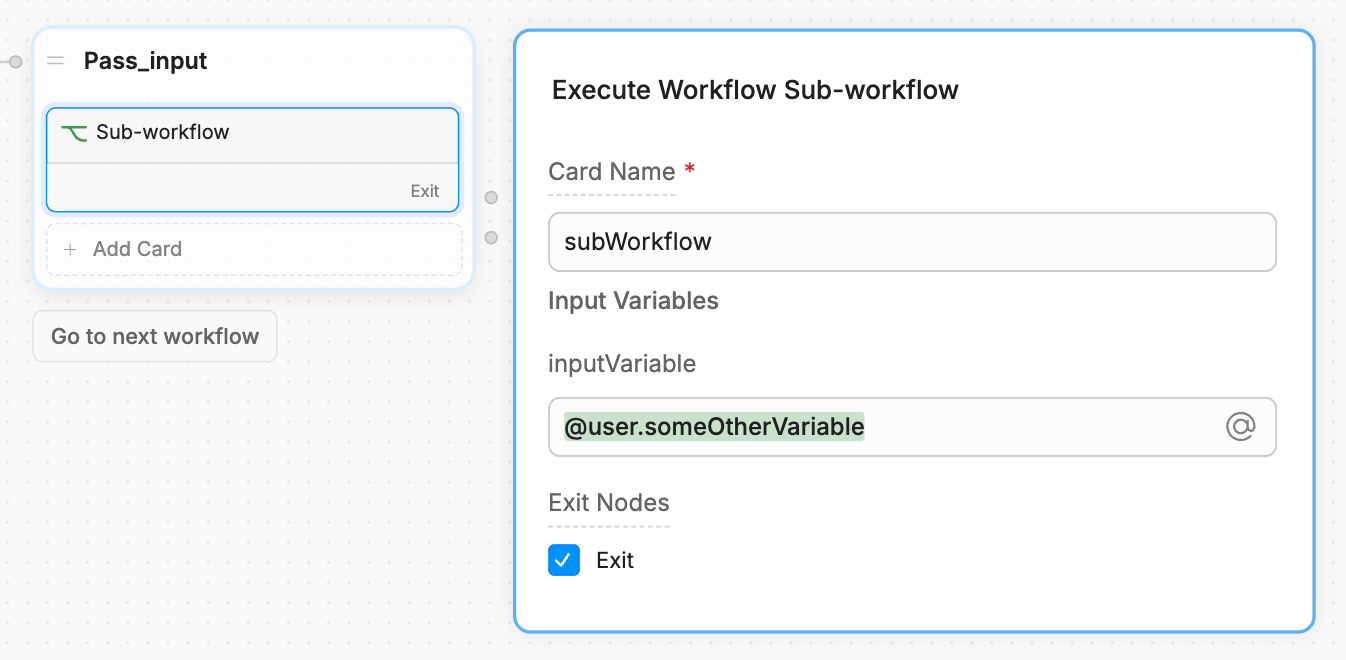
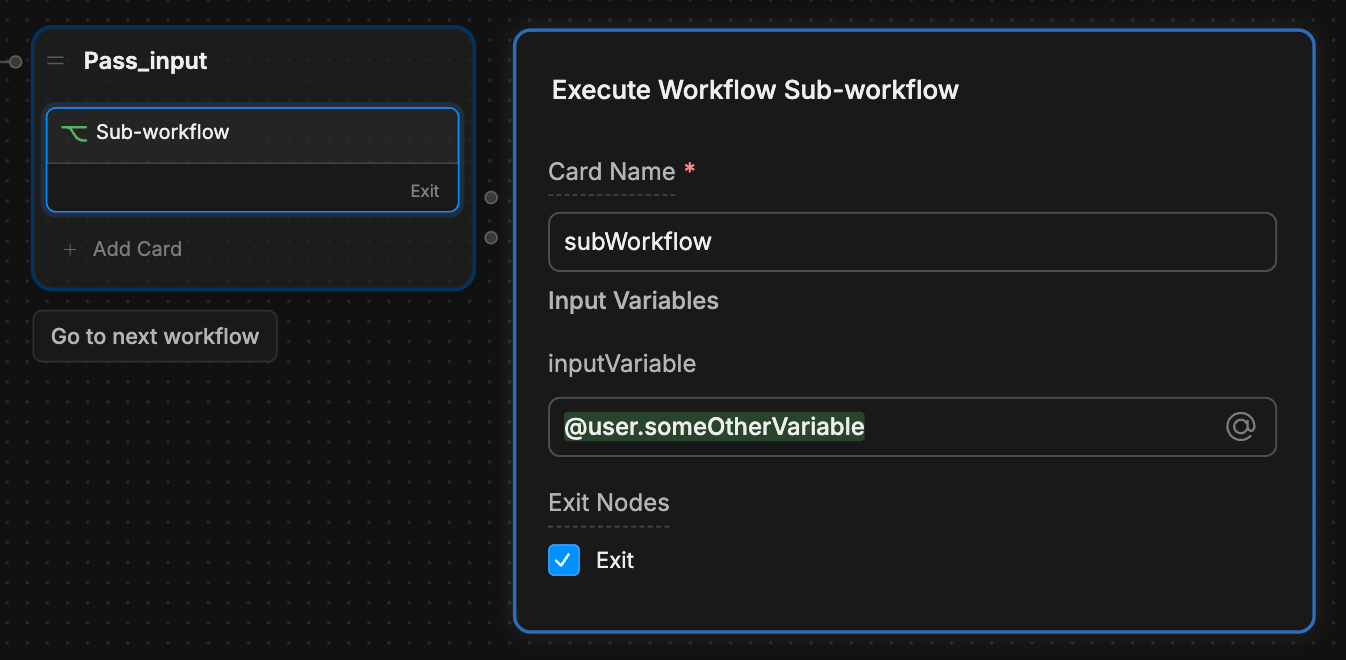 You can manually enter a value to pass to the sub-Workflow, or use a previously created variable from your parent Workflow.
Now, whatever value you pass from your parent Workflow will be available in your sub-Workflow as a Workflow variable.
## From a sub-Workflow to a parent Workflow
1. Select your sub-Workflow's [Exit Node](/studio/concepts/nodes/introduction/#exit-node).
2. Under **Toggle Variables**, select the variable you want to pass:
You can manually enter a value to pass to the sub-Workflow, or use a previously created variable from your parent Workflow.
Now, whatever value you pass from your parent Workflow will be available in your sub-Workflow as a Workflow variable.
## From a sub-Workflow to a parent Workflow
1. Select your sub-Workflow's [Exit Node](/studio/concepts/nodes/introduction/#exit-node).
2. Under **Toggle Variables**, select the variable you want to pass:

 This tells the parent Workflow to expect some output from the sub-Workflow.
You can only pass Workflow variables from a sub-Workflow to a parent Workflow.
1. In the parent Workflow, select the Card that transitions to the sub-Workflow:
This tells the parent Workflow to expect some output from the sub-Workflow.
You can only pass Workflow variables from a sub-Workflow to a parent Workflow.
1. In the parent Workflow, select the Card that transitions to the sub-Workflow:
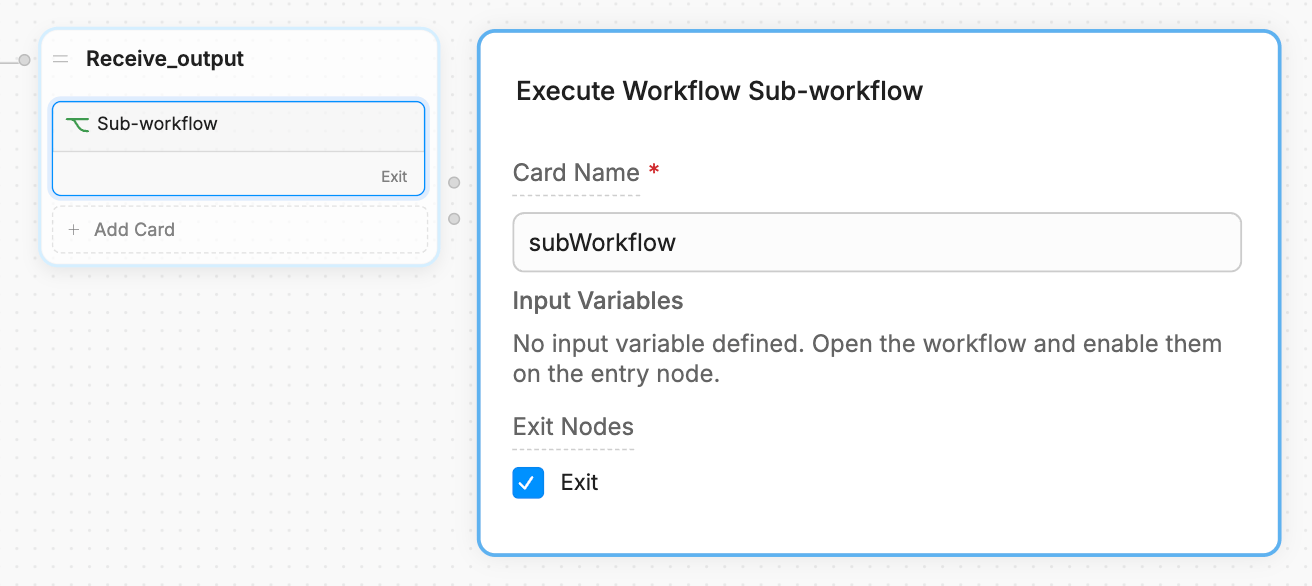
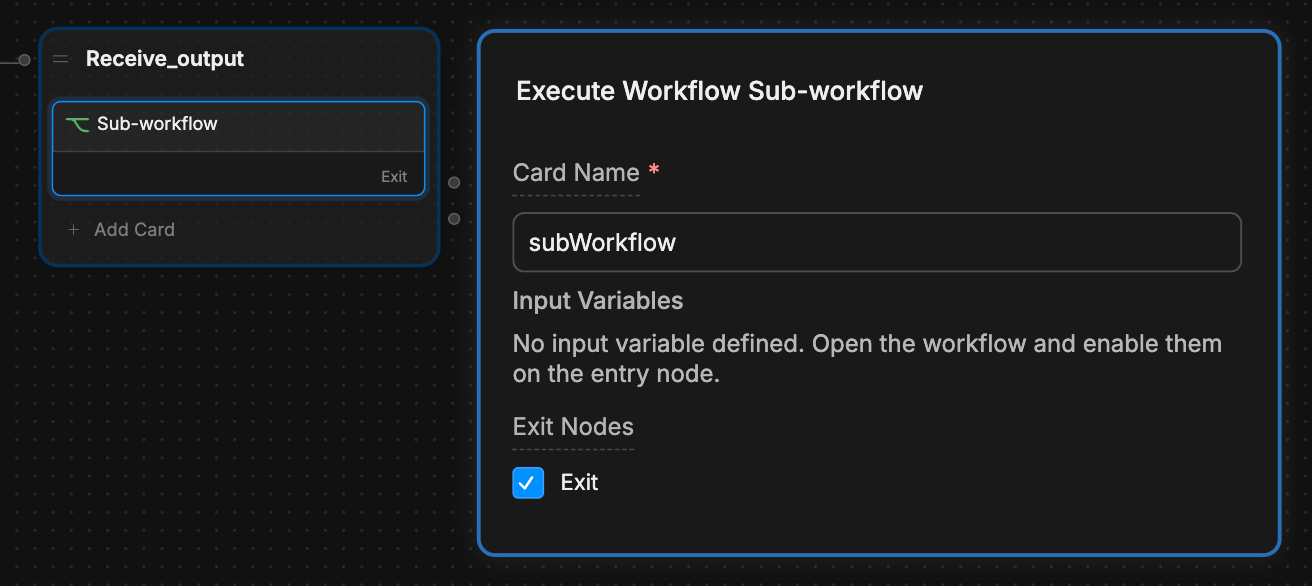 2. Make sure the **Exit Nodes** option is selected.
To access the sub-Workflow's output variable from within the parent Workflow, read:
`workflow..`
2. Make sure the **Exit Nodes** option is selected.
To access the sub-Workflow's output variable from within the parent Workflow, read:
`workflow..`
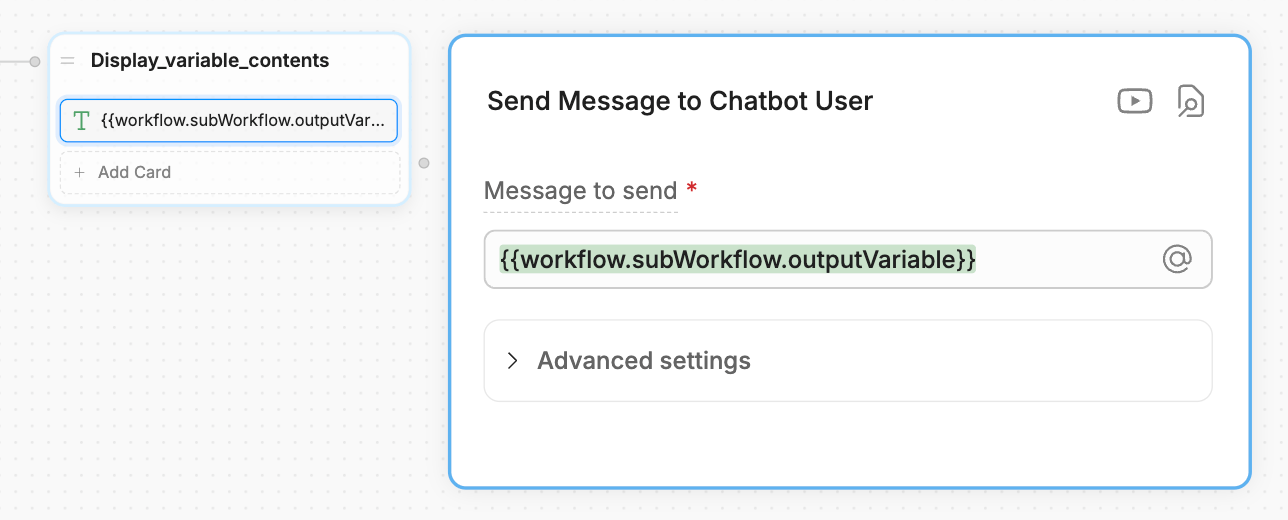
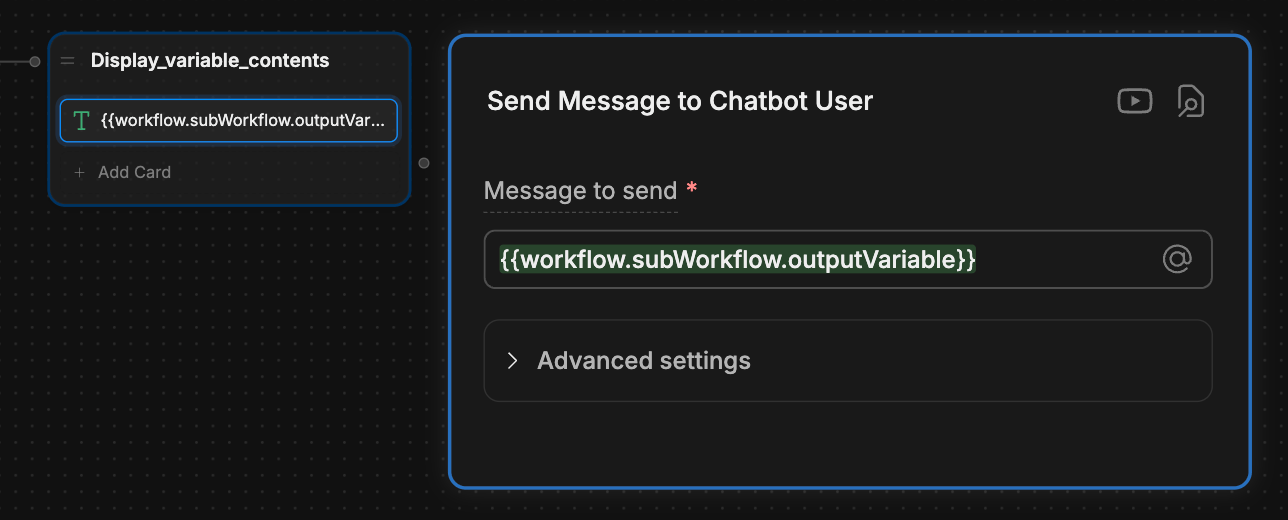 Your parent Workflow now has access to its sub-Workflow's variable.